> For the complete documentation index, see [llms.txt](https://docs.north.cloud/docs/llms.txt). Markdown versions of documentation pages are available by appending `.md` to page URLs; this page is available as [Markdown](https://docs.north.cloud/docs/account-management/settings/iam-permissions.md).
# IAM Permissions
Learn more about IAM Permissions in North.
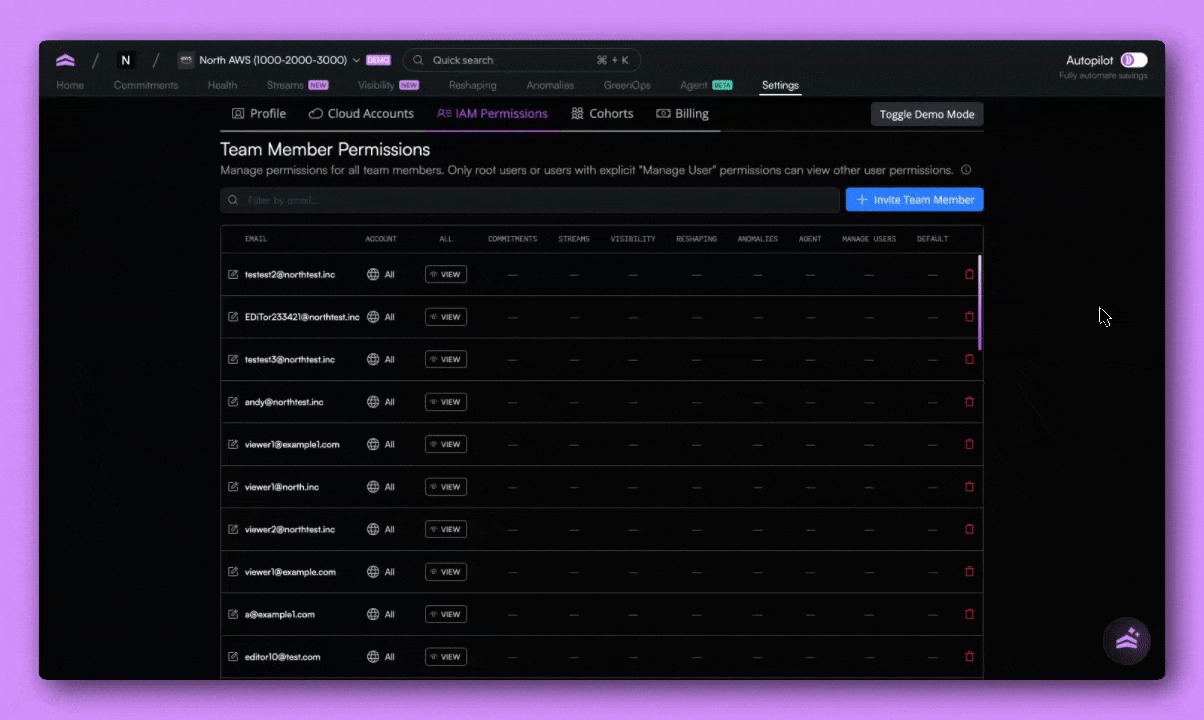
IAM Permissions let teams control access to cloud accounts and product features across North.
As organizations grow, not every user should have access to the same data. IAM Permissions make it possible to safely share cloud cost visibility across engineering, finance, and leadership teams, without exposing information they don’t need.
Instead of relying on a single role for all users, IAM Permissions allow access to reflect real organizational structures, cloud ownership models, and security requirements.
### When to use IAM Permissions
Use IAM Permissions when you want to:
* Restrict access to specific AWS or GCP accounts
* Limit feature access by role, team, or responsibility
* Share cost visibility with finance or leadership without exposing infrastructure-level details
* Separate access across business units, subsidiaries, or environments
* Reduce manual requests for cost data while maintaining control
IAM Permissions are designed to support teams operating across multiple clouds, accounts, and functions.
### How IAM Permissions work
IAM Permissions are configured per user and apply at two levels:
Account access\
Control which AWS or GCP accounts a user can see:
* All AWS accounts
* All GCP accounts
* Specific AWS or GCP accounts only
Feature access\
Control which product features a user can access, such as:
* Visibility
* Coststreams
* Commitments
* Reshaping
* Budgets
* Agent
* API access (when enabled)
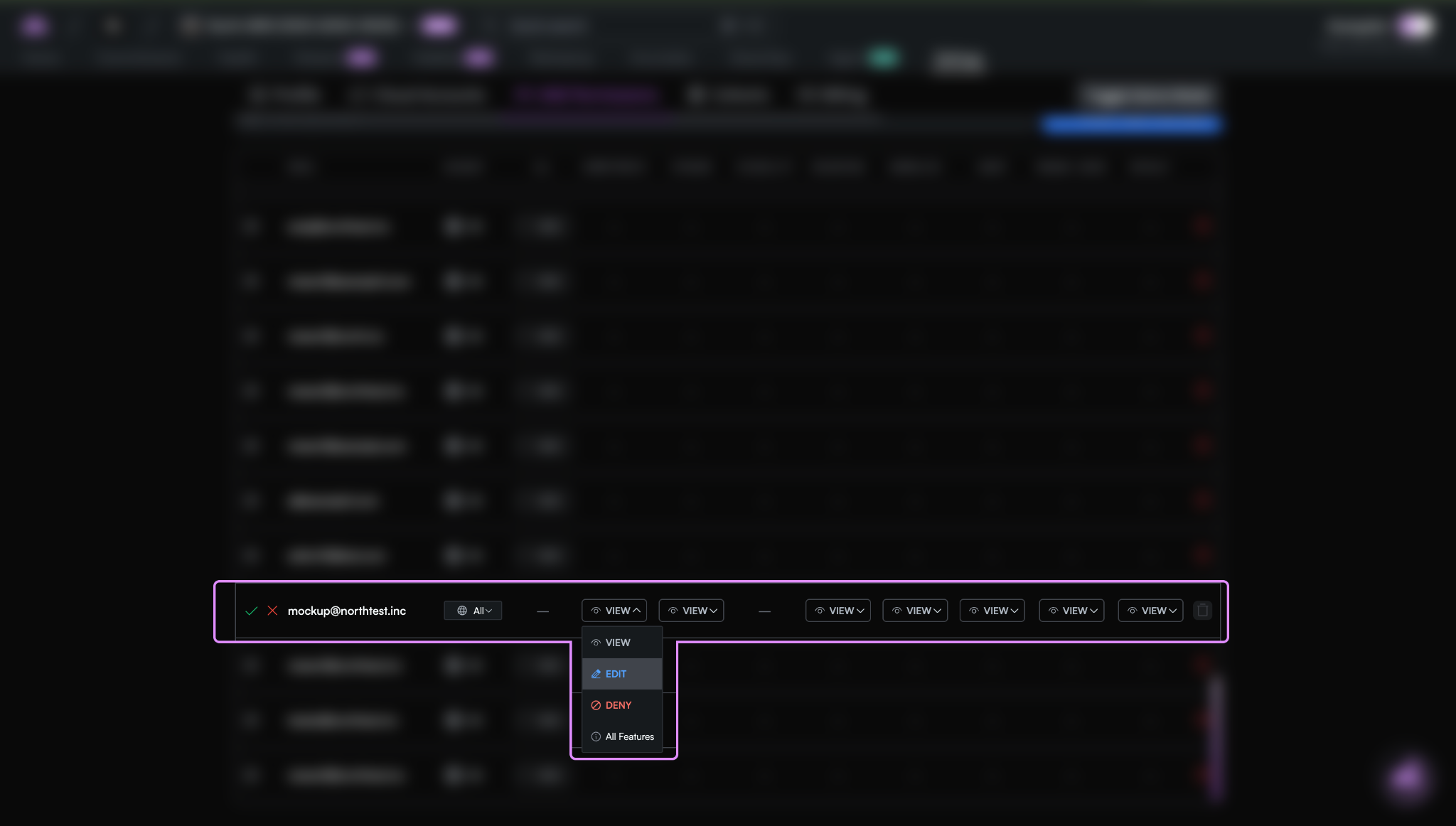
Each feature can be set to:
* View
* Edit
* Deny
This allows fine-grained control over what users can see and do inside North.
### Who can manage IAM Permissions
Only users with Manage users permissions can configure IAM access.
There are two relevant permission levels:
* View users: Can see users and their permissions, but cannot make changes
* Manage users: Can invite users, assign permissions, and update access
All users can view their own permissions, but only managers can modify access for others.
### View your permissions
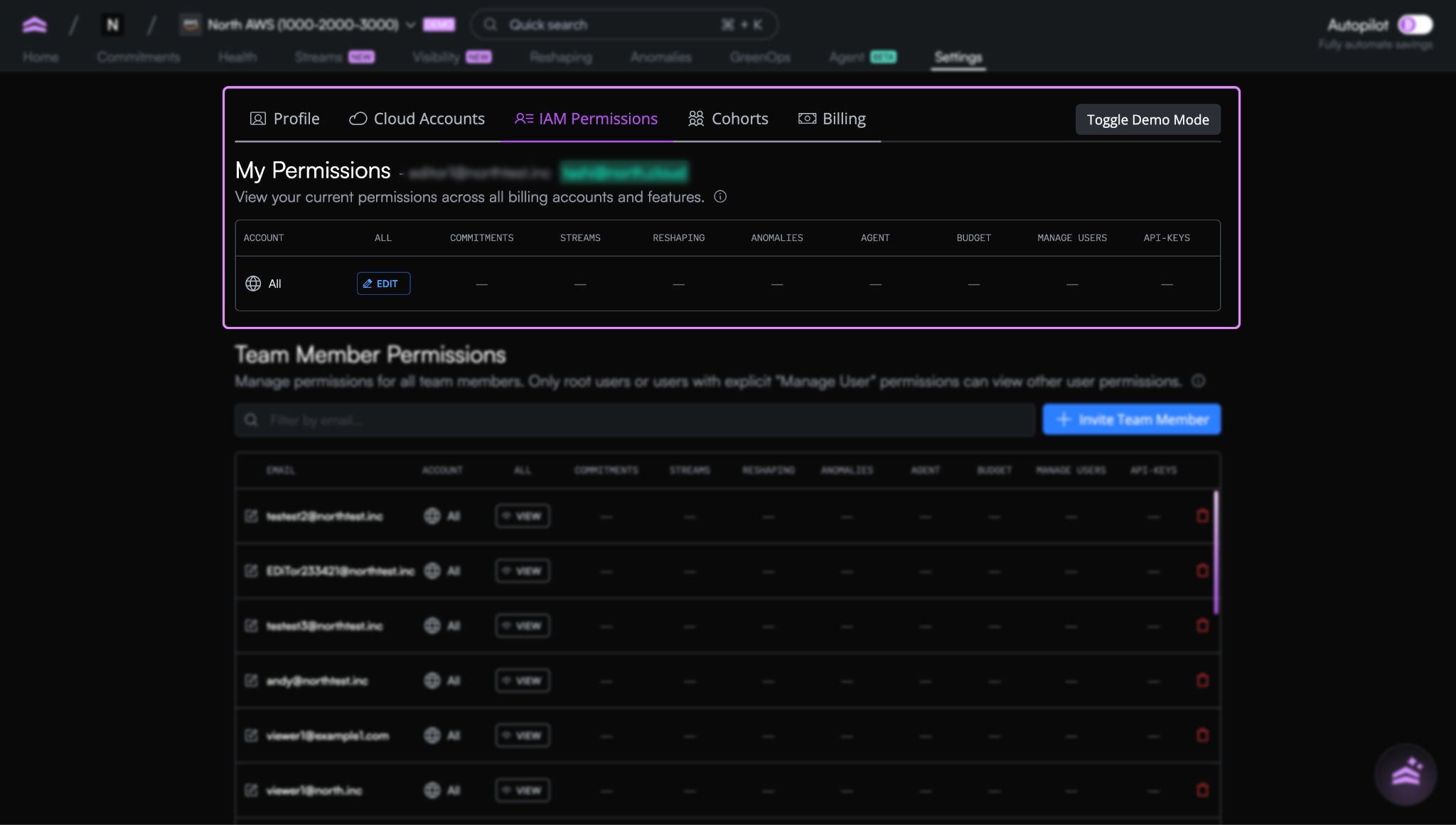
Every user has access to a My Permissions view.
This shows:
* Which cloud accounts you can access
* Which features are enabled for your user
* Whether access is view-only or editable
This makes permissions transparent and easy to understand without involving an administrator.
> Note: If you assign permissions to all accounts and add another specific account with different permissions, IAM will automatically assign permissions based on the most granular. I.e: the smaller account will have different permissions to the broader all account setup.
---
# Agent Instructions
This documentation is published with GitBook. GitBook is the documentation platform designed so that both humans and AI agents can read, navigate, and reason over technical content effectively. Learn more at gitbook.com.
## Querying This Documentation
If you need additional information that is not directly available in this page, you can query the documentation by asking a question.
Perform an HTTP GET request on the following URL with the `ask` and `goal` query parameters:
```
GET https://docs.north.cloud/docs/account-management/settings/iam-permissions.md?ask=&goal=
```
`ask` is the immediate question: it should be specific, self-contained, and written in natural language.
`goal` is what the user is ultimately trying to achieve, the reason they need the answer. Sharing it helps GitBook give you a better, more relevant answer. A goal is most helpful when it describes the outcome the user wants rather than restating the question. For example, with `ask=how do I create an API token`, a goal like `automate deployments from our CI pipeline` lets GitBook tailor the answer to that use case.
The response will contain a direct answer to the question and relevant excerpts and sources from the documentation.
Use this mechanism when the answer is not explicitly present in the current page, you need clarification or additional context, or you want to retrieve related documentation sections.